Marketing |
| The Marketing routine allows the user to establish and maintain the Firm's
Marketing Programs. Each program is assigned a start and end date, and is allocated a
budget amount. The Marketing Program is broken down into Marketing Events, which are also
assigned Event Dates and budget amounts. The break down is then taken one step further as
Marketing Events are broken down into individual Activities. Each Activity is given a
Deadline by which it must be accomplished. When the Marketing routine is accessed from the eQuinox main menu, the screen shown below will be displayed. |
| Field Definition |
 |
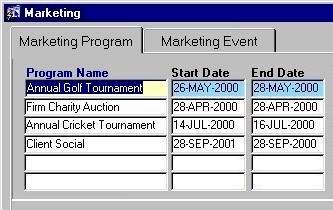
| The Marketing Program Tab The Marketing Program tab houses general information about the Marketing Program. On this tab, the user can enter new Marketing Programs or maintain existing Programs. |
|
|
Program Name The name of the Marketing Program. When establishing a new program, the user must enter the program name. To view existing programs, the user may execute a query based on this field. The program name can be edited at any time.
Start
Date |
| End Date The date on which the Marketing Program is to end. A selection may be made from the Calendar provided. |
|
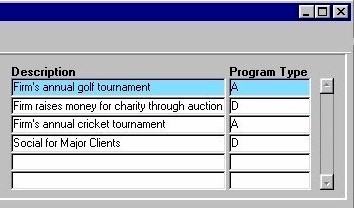
| Description A description of what the Marketing Event is and/or involves. The description may be edited at any time. Program Type |
|
|
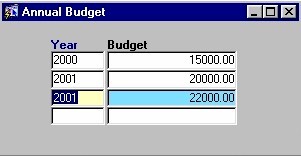
By clicking the Annual Budget button seen on the left, the user can access the Annual Budget sub-form (seen below) that allows them to establish and maintain the yearly budget amount for the current Marketing Program. |
| Year
The year for which the user is either establishing, maintaining, or viewing budget information for the current Marketing Program.
Budget |
 |
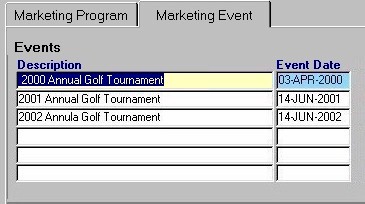
| The Marketing Event Tab The Marketing Event tab houses information about the Events that Programs are broken down into, and about the Activities that the Events are broken down into. On this tab, the user can enter new or maintain existing Events and their corresponding Activities. The information on this tab is specific to the current Program on the Marketing Program tab. |
|
|
Description The name or description of the Events that the current Marketing Program is broken down into. The description can be edited at any time. When entering new Events, the user must enter the description. Event Date |
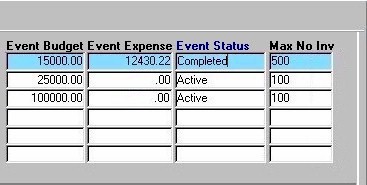
| Event Budget The total dollar amount budgeted for the current Marketing Event. This amount may be edited at any time. Event Expense |
|
| Event Status The status of the current Marketing Event (i.e. Active or Completed). A selection may be made from the List of Values provided.
Max
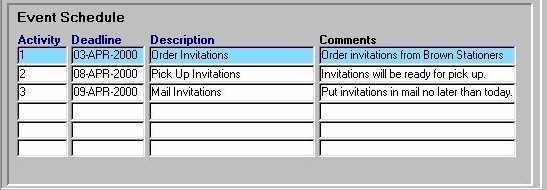
No Inv In the Event Schedule section seen below, Events are broken down into Activities and are assigned a deadline by which the Activity must take place. The information in this section is specific to the current Marketing Event in the section seen above. |
|
|
| Activity The unique identifier of the current Activity. When defining new activities, the user must enter a unique number by which the Activity will be identified.
Deadline Description Comments If the user has made any changes to the information in this form, they must click the Save button or press F10 to ensure the information is committed. |