Manage Timekeeper Market Events |
| The Manage Timekeeper Market Events routine allows the user to assign
Timekeepers to Market Programs. The Market Programs to which Timekeepers are being
assigned are as entered and maintained through the Marketing
routine. The user must define each Timekeeper's role in the Market Event, and has the
option to allocate budget and expense amounts to each Timekeeper. When the Manage Timekeeper Market Events routine is accessed from the eQuinox main menu, the screen shown below will be displayed. |
| Field Definition |
 |
|
| Market Program The name of the Marketing Program for which the user is managing Timekeepers. A selection may be made from the List of Values provided. A selection must be based on both the Marketing Program and the Marketing Event. The Marketing Programs and Marketing Events that appear in the List are those that are entered through the Marketing routine. Market Event Date |
|
| Max No Inv The maximum number of Invitees permitted for the current Market Event, as entered in the Marketing routine. This value is for display purposes only and cannot be edited or updated by the user.
Date Status Budget Expense Total Tmkps |
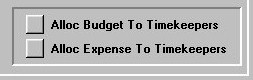
| Alloc Budget To Timekeepers To allocate the Budget amount to the involved Timekeepers, the user must click this button. The Budget amount will be divided evenly between the Timekeepers, and the amount allocated to each will be displayed in the Alloc Budget field seen below. |
|
|
Alloc Expense To
Timekeepers To allocate the Expense amount to the involved Timekeepers, the user must click this button. The Expense amount will be divided evenly between the Timekeepers, and the amount allocated to each will be displayed in the Alloc Expense field seen below. |
|
|
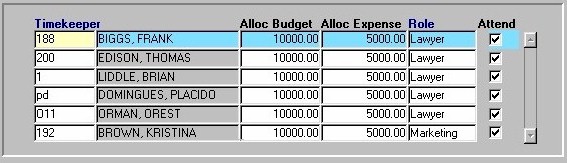
| Timekeeper The unique identifier and name of the Timekeepers assigned to the current Market Event. When assigning Timekeepers, a selection may be made from the List of Values provided. To remove a Timekeeper from this list, the user must highlight that Timekeeper and then click the Delete button. As the user adds or removes Timekeepers from the list of those involved, the Total Tmkps field updates automatically. Alloc Budget Alloc Expense Role Attend If the user has made any changes to the information in this form, they must click the Save button or press F10 to ensure the information is committed. |