Maintain Templates |
| The Maintain Templates routine allows the user to view existing or introduce new
templates to be used throughout the eQuinox system. The type of templates maintained
through this routine include Bill Style, Statement Style, and General Ledger Style
templates. The template itself is an independent program that defines the layout and
content of certain documents; in order for these templates to be used throughout E-Quinox,
they must first be identified and their location specified to the system, which is
accomplished using this routine. For example, when the user opens a new Matter, they must
specify the Bill type that is to be used when producing a Bill for that Matter. The user
must select the Bill type from a List of Values; the options in the list will be the Bill
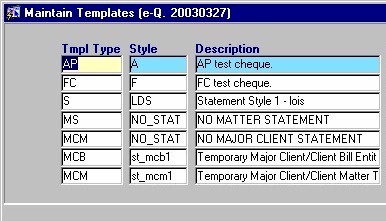
templates found in this routine. Since making changes to the information in this screen will affect the entire system, it is available only to those users who have been granted access rights. When the Maintain Templates routine is accessed from the eQuinox main menu, the screen shown below will be displayed. |
| Field Definition |
 |
|
The information in this form is displayed
automatically. Since the form automatically executes a query when it is accessed, there is
no need for the user to execute a query before they can view template information.
Tmpl Type |
|
Style Description |
|
|
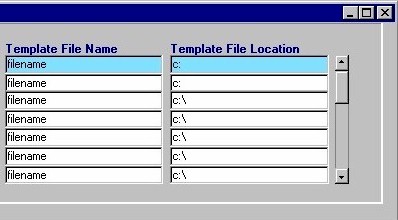
Template File Name Template File Location Once the user has finished entering or updating information, they must click the Save button or press F10 to commit the changes to the database. |
|