Maintain Office Tax Groups |
| The Maintain Office Tax Groups routine allows the user to assign Tax Groups to
Firm Offices. Tax Groups are established through the
Maintain
Tax Groups routine, and Offices are established through the Maintain Offices routine. This routine should be
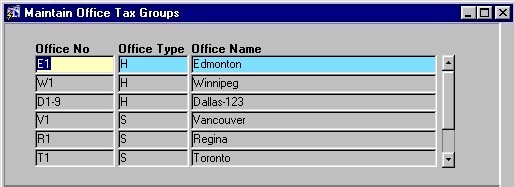
used with caution, as it will affect all Billing amounts and procedures. When the Maintain Office Tax Groups routine is accessed from the eQuinox main menu, the screen shown below will be displayed. |
| Field Definition |
 |
|
In the screen section displayed above, the user is presented with the number, type, and name of every office within the Firm. To edit this information or to add a new office to the list, the user must make the changes or additions in the Maintain Offices form. Office No Office Type Office Name |
|
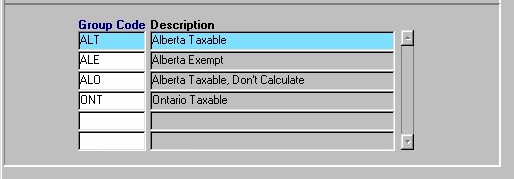
| The section of the form seen directly above
houses details specific to the Office selected in the first section of the form. For
example, in the Edmonton office (shown at the top in blue), the assigned Tax Groups are
"ALT", "ALE", "ALO" and "ONT".
Group
Code Description |
| Once the user has finished entering or updating information, they must click the Save button or press F10 to commit the changes to the database. |