Maintain Billing Parameters |
| The Maintain Billing Parameters routine allows
the user to customize eQuinox to suit the Firm's Billing preferences. Since making
changes to the parameters that are regulated through this routine will affect the entire
system, it is available to only those users who have been granted access rights.
When the Maintain Billing Parameters routine is accessed from the eQuinox main menu, the screen shown below will be displayed. |
| Field Definition |
 |
|
Print
Bills Automatically The Yes/No (Checked/Unchecked) value of this field determines whether or not Bills can be printed directly from eQuinox, or if they must be exported and then printed from a word processing application.
Create
Bills in Background |
Client Discounts
Group Disbursements
Credit Days |
|
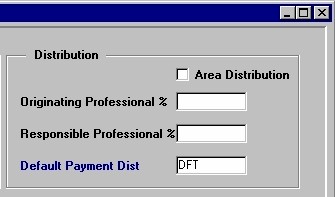
Area Distribution
Originating
Professional %
Responsible
Professional % |
|
Default Payment Dist |
|
|
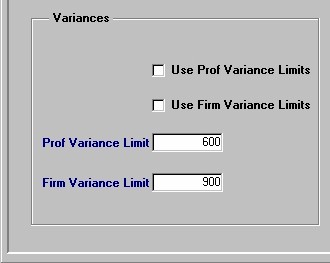
Use Prof Variance Limits
Prof
Variance Limit |
Firm Variance Limit Note: For more information on Variances, see the Glossary or the Variances section of the Timekeeper help screen. |
|
|
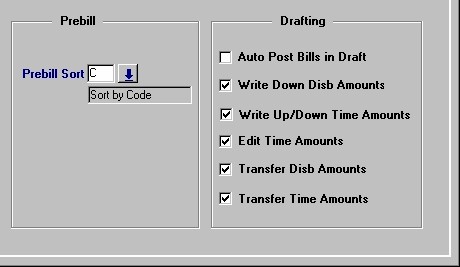
Prebill
Sort The way in which Prebills are sorted (i.e. by Code, by Description). A selection may be made from the List of Values provided.
Auto Post Bills in Draft
Write
Down Disb Amounts |
|
Write Up/Down Time Amounts
Edit Time Amounts
Transfer Disb
Amounts |
|
| Once the user has finished entering or updating information, they must click the Save button or press F10 to commit the changes to the database. | |