
Deleting
Unposted Time

-
If
a matter has unposted time is not going to be billed, the user must delete
the time through the Time Recorder screen
-
Follow
the menu path: Desktop
-->
Time Recorder
-
The
Time Recorder screen is launched, as seen in Figure 1
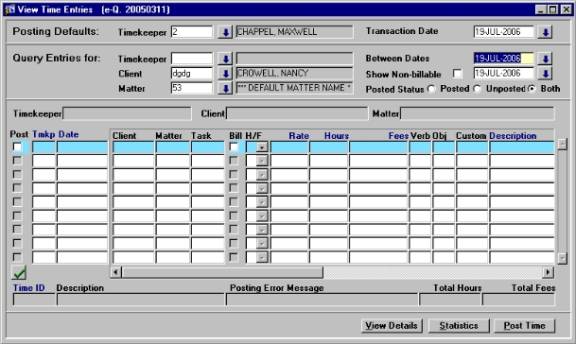
Figure 1 – The Time Recorder
Screen
-
In
the Query Entries For section, enter the number of the Client/Matter
-
Adjust
the Between Dates field, to ensure all unposted time is returned in
the query results (to access the Calendar in the date fields, press [F9]
)
-
Press
[F8] to query back all unposted time for that Matter
-
Highlight
the time entry that needs to be deleted and then press [Shift] + [F6]
OR click the Delete (red X) button on the menu bar (each time
entry must be deleted individually)
-
When
the record is deleted, the user will see a message in the bottom left corner
of the screen that reads “The Time Docket is Deleted Successfully”