
Adding New Provinces

In eQuinox, Provinces and States are maintained as "Jurisdictions". To add a new jurisdiction to the system, the user must:
Access
the Maintain Domain Definitions form. The path to this form is as follows:
Maintenance/System Admin/Codes and Definitions/Maintain Domain Definitions.
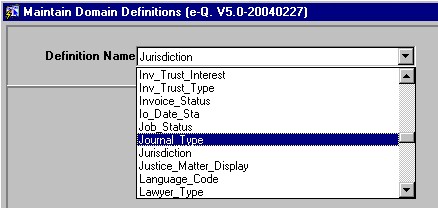
From the drop down list in the Definition Name field, the user must select the Jurisdiction option.
All
existing jurisdictions will be displayed in the bottom block of the
form.
Click
the New Record button on the menu bar or press [F6].
Enter
the Code and Description for the new jurisdiction record.
Click the Save button on the menu bar or press [F10].